

Thursday, July 10, 2008
THING 9. ONLINE COLLABORATION TOOLS
How appropriate. I started reading about this thing last week, just before July 4th. I looked at the Declaration of Independence in Google Docs and Zoho. The edits are hysterical. I decided to skip asking for permission to edit after reading the comments from others who had trouble getting in. Right now I don't have much need for a collaborative editing tool. Maybe the next time we update the TS manual...?

Tuesday, July 8, 2008
THING 8


These pictures are from the Arboretum and the Como Park Conservatory. I don't have a digital camera. I used a disposable camera and had a disc made. I chose 10 shots, but the "Floating pictures" use only 6. I had to save the pictures one by one. There must be a way to save several pictures at a time before uploading.
Thursday, June 26, 2008
THING 7. INSTANT MESSAGING AND EMAIL
The blog is back. After a two month break because of a backlog in our department, I am blogging again. I would have started up again sooner, but I couldn't remember my logins.
I have used email since the library has had it. It is very useful for contacting a few or many people with the same message. They don't all have to be in the same building. The downside is all the spam we get now. Our email used to be spam-free.
I have been using Instant Messaging for about a year. I use it most often to phone another branch to pull a book. We don't have IM reference for patrons (yet).
I have watched/heard many Minitex webinars. On the plus side, it is convenient to have at my work site. You don't have to travel anywhere. The effectiveness depends on the relevance of the material to my needs, how cold the training room is ( sometimes a problem), and how easily the speaker can be heard (often a problem). I miss the face-to-face interaction with a presenter and other participants in the same room.
I have used email since the library has had it. It is very useful for contacting a few or many people with the same message. They don't all have to be in the same building. The downside is all the spam we get now. Our email used to be spam-free.
I have been using Instant Messaging for about a year. I use it most often to phone another branch to pull a book. We don't have IM reference for patrons (yet).
I have watched/heard many Minitex webinars. On the plus side, it is convenient to have at my work site. You don't have to travel anywhere. The effectiveness depends on the relevance of the material to my needs, how cold the training room is ( sometimes a problem), and how easily the speaker can be heard (often a problem). I miss the face-to-face interaction with a presenter and other participants in the same room.
Wednesday, March 26, 2008
THING 6. ONLINE IMAGE GENERATORS
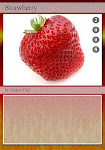
I made a trading card on Big Huge Labs using a picture from Flikr. That wasn't too hard. But when I tried to upload the trading card to my blog, it landed in B's Flikr account. How did that happen? Carol F. figured out how to get it on my blog.
Friday, March 21, 2008
THING 5. SPELL WITH FLIKR
I used Spell with Flikr to spell out "Spring has sprung". I can't get the letters to line up so that one word is on a line. The gs wraparound to the next line. Not only that but the phrase has sprung itself down so that it is below Thing #1. How did that happen? With Carol F's help it is now down the side and below Thing 6.
Thursday, March 6, 2008
THING 4
©Jurmerga
 I found a picture in Flickr to add to my blog. Flickr put me to sleep. After searching through screens and screens of pictures, I was glassy-eyed. I wanted to post several photos, but it is time-consuming to look through the pictures. So I settled for one. I was not able to download one of the pictures I wanted, probably because the owner doesn't allow downloads.
Editing the blog with Flickr is very frustrating as well as time-consuming. I can't get the text to go where I want it. Why isn't the the text in the same place on the preview screen as it is on the editing screen?
Wednesday, March 5, 2008
THING 3. RSS
I set up an RSS account with Google reader. I added news feeds and some blogs. This was fairly easy to do. What surprised me is that the feeds don't look like the websites. When I first set up the account last week, I didn't see any graphics. That was disappointing. Today when I looked at the feeds again, there are graphics. I haven't been looking at the feeds everyday.
Subscribe to:
Posts (Atom)